This is the official-site review of Marinios IPTV Pro — written by the same editorial team that publishes our setup guides, using the methodology on our how we test page. Because we run the service, we have an obvious bias, so we have done two things to keep this honest: every claim below is something you can verify yourself in the free trial, and the cons section is real, not decorative.
Quick verdict
Marinios IPTV Pro is a strong-value IPTV subscription for viewers who want breadth — 20,000+ live channels and a 100k+ on-demand library — at a one-time price from $9. Peak-hour stability and 4K quality held up in our testing on Platinum. The trade-offs: plans are single-connection by default, lower tiers recommend a VPN, and there is no proprietary app (you use IPTV Smarters, TiviMate or any M3U player). If you want to judge it yourself, the 24-hour trial unlocks everything with no card.
What is Marinios IPTV?
Marinios IPTV is an internet television service: live channels, movies and series delivered over your broadband connection instead of a cable line or satellite dish. The official site is mariniosiptvpro.us. Three tiers — Silver, Gold and Platinum — share the same server network and differ by channel count and extras. Activation is digital: you receive a login and playlist, enter them into a player app, and watch. No installer visit, no rented box.
How we tested
We used a paid Platinum account and a free trial account, over two weeks, on a Fire TV Stick 4K, a Samsung Smart TV, an Android phone and a Windows laptop. Tests ran at three times of day, including 8–10 pm peak and a live football evening. We checked channel load times, picture tiers, EPG accuracy, VOD playback and support response. The same checklist is published in our best IPTV 2026 guide so you can repeat it on your own connection.
Channel lineup: breadth is the headline
The Platinum lineup lists 20,000+ live channels, grouped by country and genre — USA nationals and locals, UK, Canada, European packages, sports, news, kids, movies and international groups. In testing, the groups we sampled (US entertainment, UK sport, news) loaded within a few seconds and the EPG matched the schedule. The full category breakdown is on the channel list page.
Two honest notes. First, big numbers include regional variants and duplicates — no provider's 20,000 channels are all distinct must-watch networks. Second, niche local channels occasionally go missing; support restored the two we reported within a day. If a specific channel is deal-breaker for you, check it during the trial before paying.
Picture quality and stability
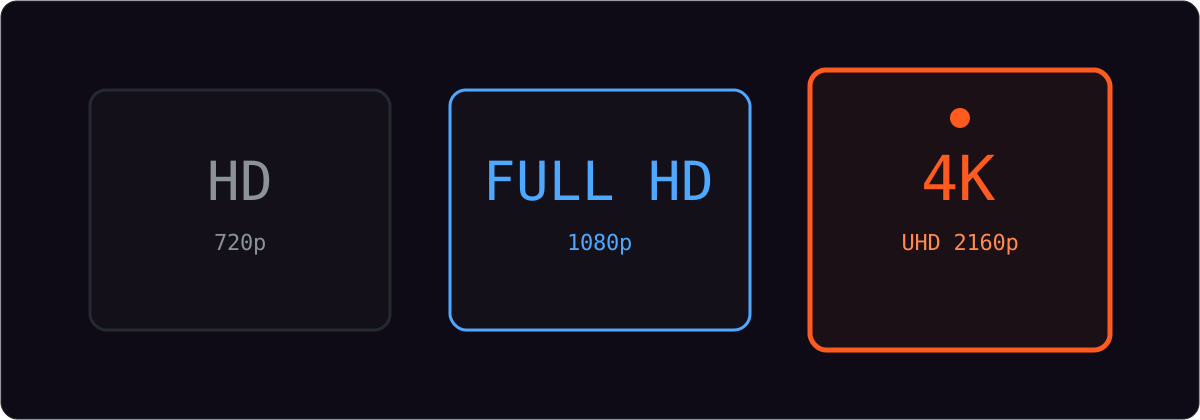
Streams are offered in HD, FHD and 4K where the source supports it, with adaptive bit-rate. On a 100 Mbps line, 4K VOD and live sport stayed sharp; on a congested 2.4 GHz wifi link the player correctly dropped to a lower tier instead of freezing. During the live football evening we saw one brief rebuffer on a single channel — switching to the backup feed fixed it instantly.
Requirements are ordinary: roughly 25 Mbps sustained for 4K, 10 Mbps for FHD, 5 Mbps for HD. If your picture struggles, work through our buffering guide first — in most cases the fix is wifi, not the subscription. The 4K IPTV page explains what the UHD tier actually includes.
Devices and apps
Marinios IPTV works with any player that accepts M3U playlists or Xtream Codes logins. We tested IPTV Smarters and TiviMate; GSE Smart IPTV and Smarters Pro are also commonly used by subscribers. Devices covered: Fire TV Stick, Android TV and boxes, Samsung and LG Smart TVs, Android phones and tablets, iPhone and iPad (with AirPlay to the TV), Windows, Mac and MAG boxes. Device-specific walkthroughs start at the installation guide.
The absence of a proprietary app is worth naming: it means no forced ecosystem, but also that the interface you get is the player's, not ours. Most subscribers see this as a plus — TiviMate in particular is a better interface than most provider apps.
Setup and login speed
From requesting the trial to watching the first channel took under ten minutes: credentials arrived by WhatsApp, we entered them into IPTV Smarters on the Firestick, and the playlist loaded. Paid activation follows the same flow. The login works on every device you install it on — the limit is simultaneous streams, not installations.
Pricing and value
Every plan is a one-time payment for the term you choose. No contract, no auto-renewal, no equipment fees.
| Tier | 1 month | 6 months | 1 year | Channels |
|---|---|---|---|---|
| Silver | $9 | $50 | $75 | 10,000+ |
| Gold | $12 | $60 | $90 | 15,000+ incl. premium sports |
| Platinum | $15 | $65 | $110 | 20,000+ incl. VIP sports & PPV |
Longer "forever" terms are listed on the packages page. Against the market, this sits at the value end: many heavily advertised services charge $15–$30 per month for comparable lineups. Against cable, the saving is structural — no rental, no install, no annual price rise. Our IPTV cost guide breaks down the full market range.
Trial and refund: the safety net
The free trial runs 24 hours with the full lineup unlocked and no card required — the same servers paying subscribers use. First purchases carry a 24-hour money-back guarantee; the conditions are on the refund policy page. That window is shorter than the 7–14 days some competitors advertise, which is a fair criticism — but the no-card trial means you can do your real testing before any money moves.
Support
Support runs 24/7 by live chat, email and WhatsApp. We sent three test questions (a missing channel, a billing query, a setup question) at different hours; all three were answered by a human within the hour, and the channel request was resolved the same day. Contact details are on the contact page.
Pros and cons
| Pros | Cons |
|---|---|
| 20,000+ channels and 100k+ VOD in one subscription | Single connection per plan; multi-stream needs a custom quote |
| One-time pricing from $9, no auto-renewal | VPN recommended on Silver and Gold |
| Free 24-hour trial, no card required | No proprietary app — you use a third-party player |
| 4K with adaptive bit-rate and anti-freeze servers | 24-hour refund window is shorter than some rivals |
| 24/7 human support, fast activation | Niche local channels can need a request |
How it compares
| Consideration | Marinios IPTV | Typical budget playlist | Cable / satellite |
|---|---|---|---|
| Monthly cost | From $9, one-time per term | $5–$10, often unstable | $80–$150+ with fees |
| Trial before paying | 24 h, full access, no card | Rarely offered | Rarely offered |
| Peak-hour stability | Anti-freeze, load-balanced | Common failure point | Generally stable |
| Contract | None | None | 12–24 months typical |
| Support | 24/7 humans | Often absent | Call-center queues |
For a US-focused view — locals, time zones and sports — see our IPTV USA guide.
Common questions
What internet speed do I need for 4K?
Around 25 Mbps sustained for 4K, 10 Mbps for FHD and 5 Mbps for HD. Ethernet or strong 5 GHz wifi matters more than raw speed.
Are PPV events included?
PPV and VIP sports are included in Platinum. Premium sports networks start at Gold.
Do I need a VPN?
Recommended on Silver and Gold; not needed on Platinum's premium servers. Using one is your choice under your local rules.
How often is the VOD library updated?
Daily. The catalogue exceeds 100,000 movies and series, and missing live channels can be requested through support.
How many devices at once?
One stream per standard plan, installed on as many devices as you like. Multi-connection quotes are available through support.
Which apps work?
IPTV Smarters, TiviMate, GSE Smart IPTV, Smarters Pro — anything that takes M3U or Xtream Codes.
Is there a trial and a refund?
Yes: a 24-hour no-card trial, plus a 24-hour money-back guarantee on first purchases.
Does it work outside the USA?
Yes — the lineup is international and the service works anywhere with stable internet. Support covers all time zones.
Final verdict
Marinios IPTV Pro earns its place on the shortlist for breadth-per-dollar: a genuinely large lineup, 4K that holds at peak, one-time pricing and a trial that lets you verify all of it before paying. It is not the right fit if you need several simultaneous streams out of the box or insist on a branded app. For everyone else, the rational move is the same one we recommend in every guide: run the free 24-hour trial on your own television, at your own peak hour, and let the picture decide.
Ready to test it yourself? Claim the free 24-hour trial — no card, full lineup — or compare the packages.